In SQL, the INSERT INTO statement is used to insert new rows in a database table.
Example
-- insert a row in the Customers table
INSERT INTO Customers(customer_id, first_name, last_name, age, country)
VALUES
(7, 'Ron', 'Weasley', 31, 'UK');
Here, the SQL command inserts a new row into the Customers table with the given values.
INSERT INTO Syntax
The syntax of the SQL INSERT INTO statement is:
INSERT INTO table_name(column1, column2, column3, ...)
VALUES
(value11, value12, value13, ...)
(value21, value22, value23, ...)
... ;
Here,
table_nameis the name of the table into which the rows are to be insertedcolumn1, column2, column3, ...are the names of columns where the values are to be insertedvalue11, value12, value13, ...,value21, value22, value23, ...are the values to be inserted
Insert Row Into a Table
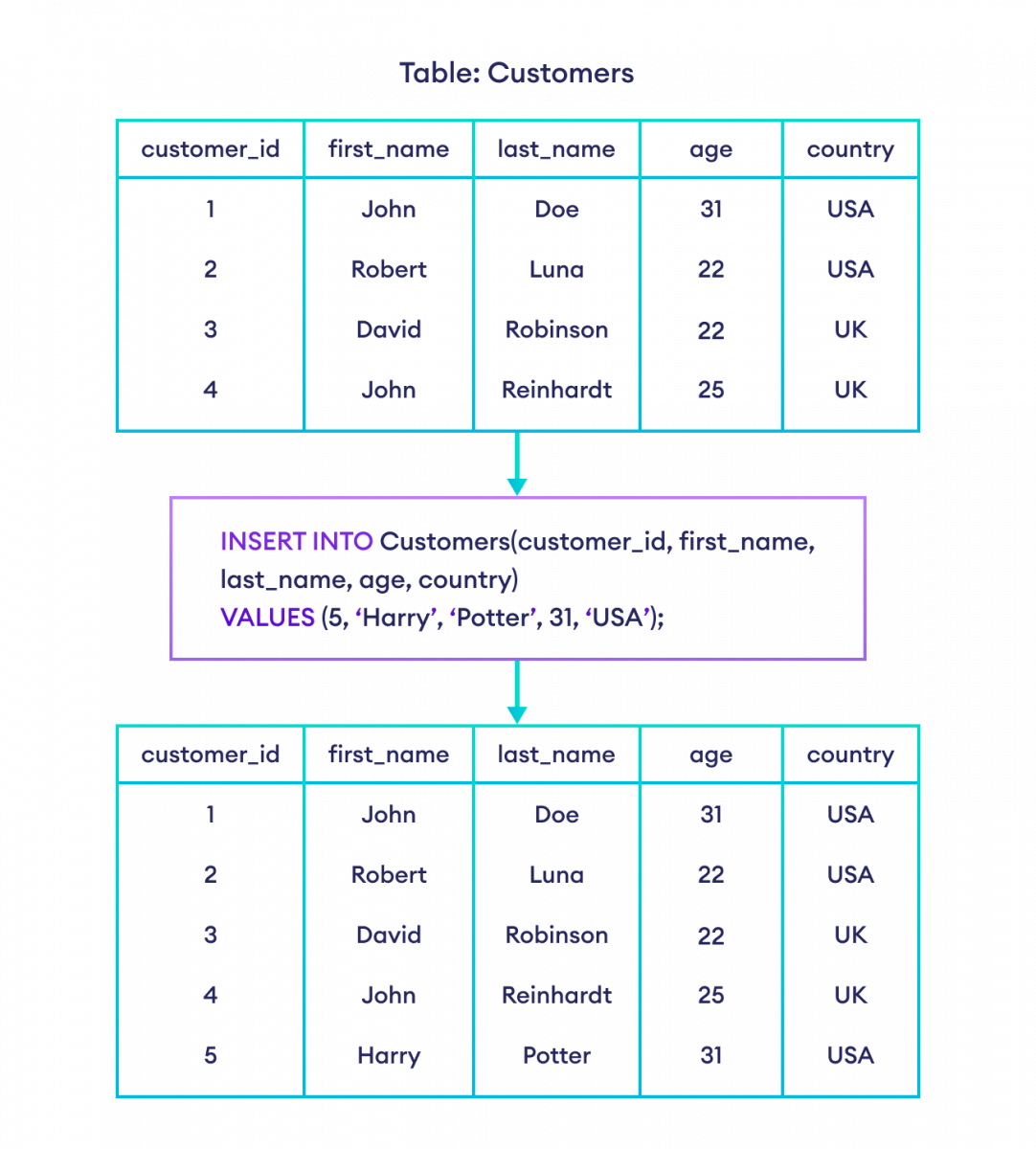
In SQL, the INSERT INTO statement is used to insert new row(s) into a database table.
For example,
-- insert a row in the Customers table
INSERT INTO Customers(customer_id, first_name, last_name, age, country)
VALUES
(5, 'Harry', 'Potter', 31, 'USA');
Here, the SQL command inserts a new row into the Customers table with the given values.
Skip Auto Incremented Fields While Inserting a Row
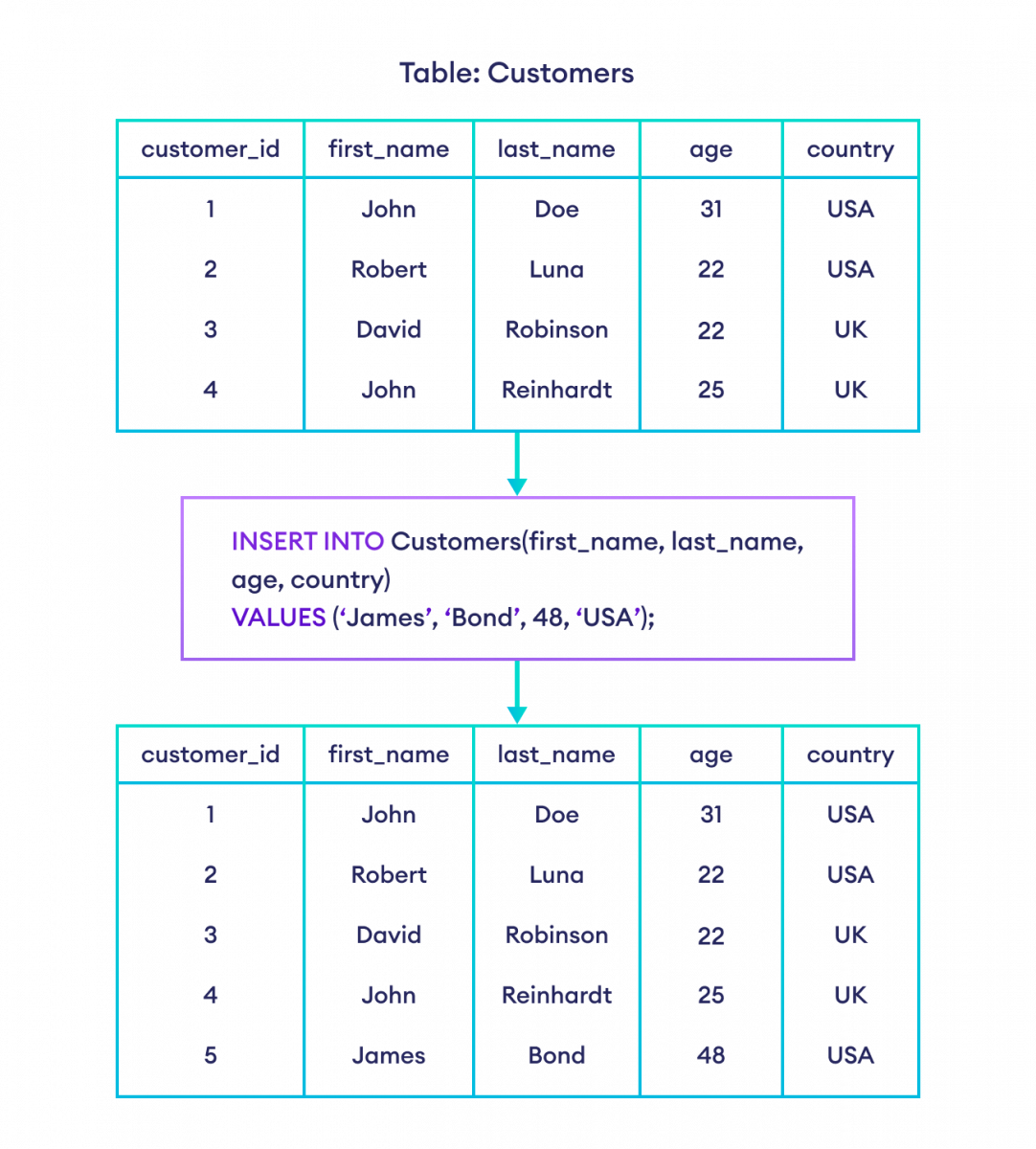
In a database table, the ID field is usually unique and auto incremented. In such cases, we can omit the value for that column during row insertion. For example,
-- insert a row to Customers table
-- skip auto incremented customer_id column
INSERT INTO Customers(first_name, last_name, age, country)
VALUES
('James', 'Bond', 48, 'USA');
Here, the SQL command automatically sets the new customer_id for the new row and inserts it in a table.
Note: If we want to insert data from any other existing table, we can use the SQL INSERT INTO SELECT statement.
Insert Multiple Rows at Once in SQL
It's also possible to insert multiple rows to a database table at once. For example,
INSERT INTO Customers(first_name, last_name, age, country)
VALUES
('Harry', 'Potter', 31, 'USA'),
('Chris', 'Hemsworth', 43, 'USA'),
('Tom', 'Holland', 26, 'UK');
Here, the SQL command inserts three rows to the Customers table.
SQL INSERT Topics
It is also possible to insert values in a row without specifying columns. For example,
INSERT INTO Customers
VALUES
(5, 'Chris', 'Evans', 42, 'USA');
Here, the SQL command inserts the new row serially in each column.
Note: If we don't specify column names, the order of columns in the database table must match the order of values in the SQL query. We also need to provide the value(s) for the auto incremented field.
If we skip column names during row insertion, the values of those columns will be NULL.
INSERT INTO Customers(first_name, last_name, age)
VALUES
('Brad', 'Pitt', 58);
Here, the SQL command sets the country column's value to NULL. However, the customer_id column will be an incremented value because of the auto increment constraint.
Note: If NULL values are not allowed for a column, the SQL query results in an error. To learn more, visit NOT NULL Constraint.