The IN operator is used with the WHERE clause to match values in a list.
Example
-- select customers from the USA

SELECT first_name, country
FROM Customers
WHERE country IN ('USA');
Here, the SQL command selects rows from the Customers table whose country value is 'USA'.
SQL IN Syntax
The syntax of the SQL IN operator is:
SELECT column1, column2, ...
FROM table
WHERE column IN (value1, value2, ...);
Here,
column1, column2, ...are the table columnstableis the table name from where we select the datacolumnis where the values are compared againstINoperator specifies values that thecolumnvalue should be compared againstvalue1, value2, ...are the values thecolumnvalue is compared against
For example,
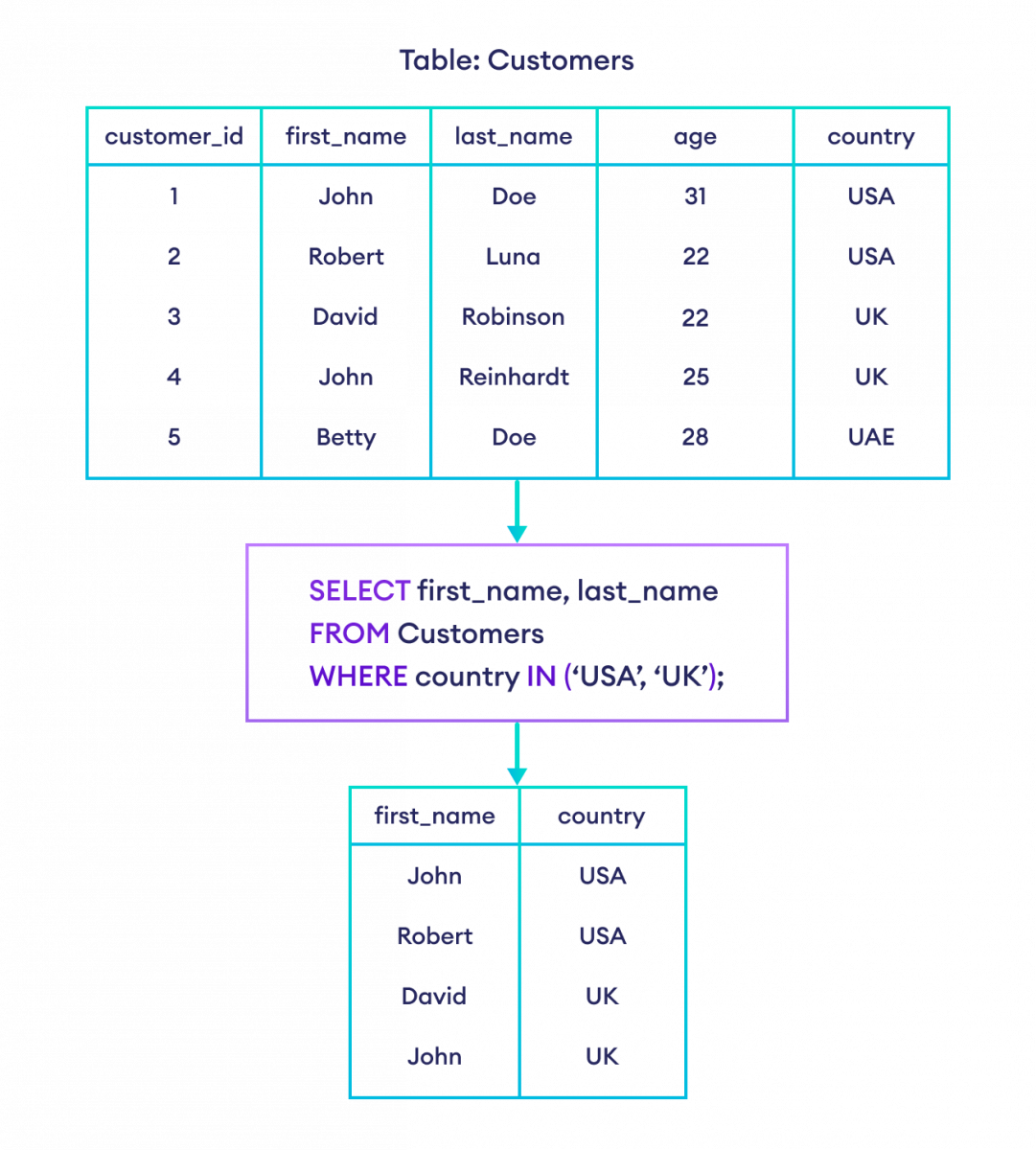
-- select rows if the country is either USA or UK

SELECT first_name, country
FROM Customers
WHERE country IN ('USA', 'UK');
Here, the SQL command selects rows if the country is either USA or UK.
SQL IN Operator With Columns
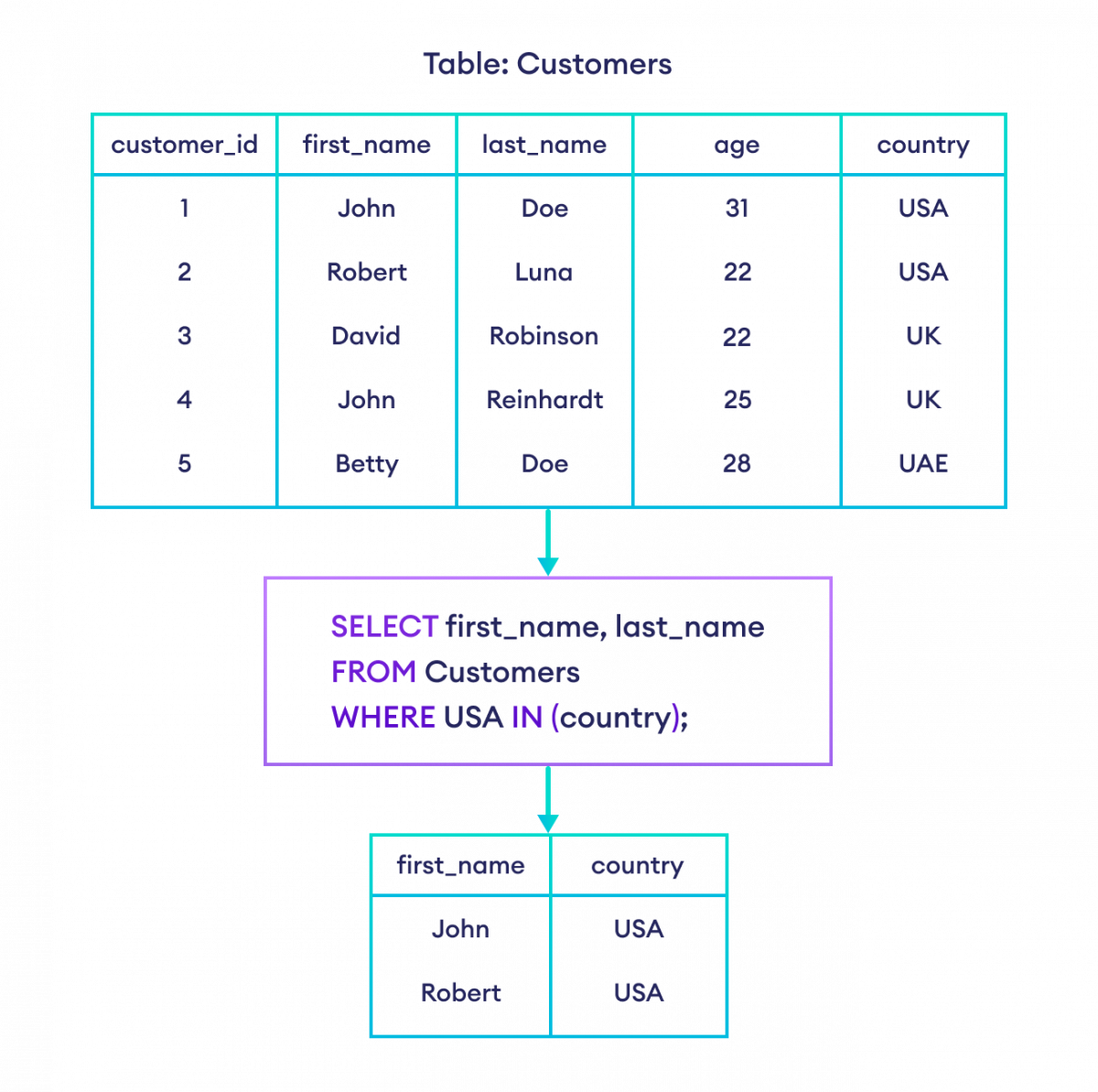
The IN operator can also be used to select rows in which a certain value exists in the given field. Let's see an example to clarify it.
-- select rows with value 'USA' in the country column

SELECT first_name, country
FROM Customers
WHERE 'USA' IN (country);
Here, the SQL command selects the rows if the USA value exists in the country field.
SQL NOT IN Operator
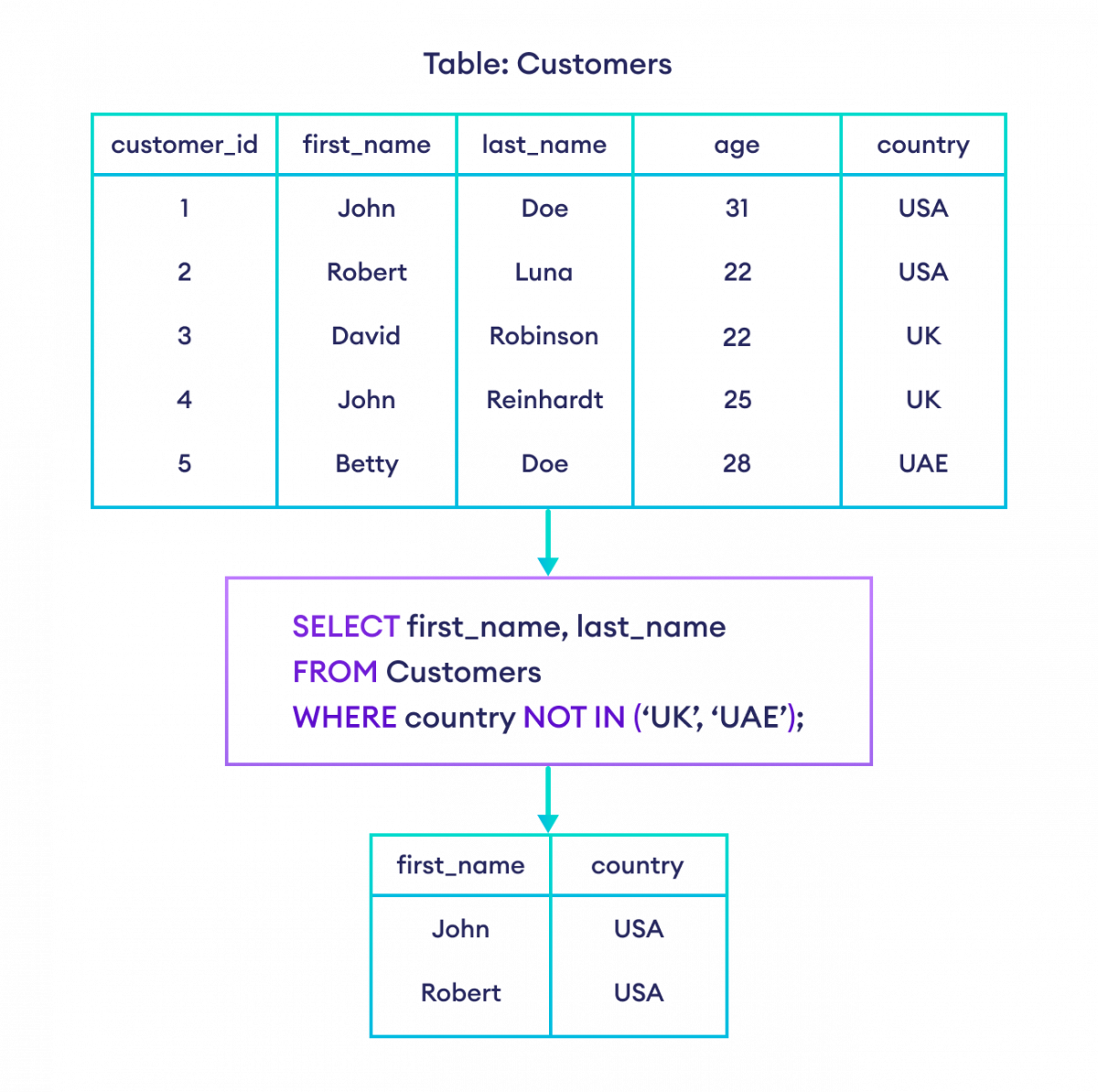
The NOT IN operator is used to exclude the rows that match values in the list. It returns all the rows except the excluded rows. For example,
-- select rows where country is not UK or UAE

SELECT first_name, country
FROM Customers
WHERE country NOT IN ('UK', 'UAE');
Here, the SQL command selects rows if UK or UAE is not in the country column.
Note: The working of the IN operator is reversed by the NOT Operator. They are basically two operators combined. To learn more, visit SQL AND, OR, and NOT Operators.
SQL IN Operator With Duplicate Values
By the way, the IN operator ignores duplicate values in the list. For example, take a look at the code below.
-- IN ignores the duplicate 'USA' value

SELECT first_name, country
FROM Customers
WHERE country IN ('USA', 'UK', 'USA');
The code above is equivalent to the one below.
-- select customers that live in either the USA or the UK

SELECT first_name, country
FROM Customers
WHERE country IN ('USA', 'UK');
SQL IN Operator With Subquery
Suppose we only want the details of those customers who have placed an order. Here's how we can do that using a subquery,
-- select only those customers who have placed an order
-- the subquery is enclosed within parentheses after the IN keyword

SELECT customer_id, first_name
FROM Customers
WHERE customer_id IN (
  SELECT customer_id
  FROM Orders
);
Here, the SQL command
- selects customer_id from the Orders table using the subquery,
- selects rows from the Customers table where customer_id is in the result set of the subquery i.e., if the customer_id is also in the Orders table.
To learn more, visit SQL Subquery.